¶ Introduction
3decision is a web-based repository for protein structures. It stores and analyzes your proprietary structures together with public experimental structures and AlphaFold models. With 3decision, you can:
- search structures by text, properties or chemistry;
- browse, compare and superpose structures in 3D;
- show X-ray and cryo-EM electron density maps;
- find similar binding sites and interaction patterns;
- share structures and 3D scenes with your team in projects.
¶ The 3decision homepage
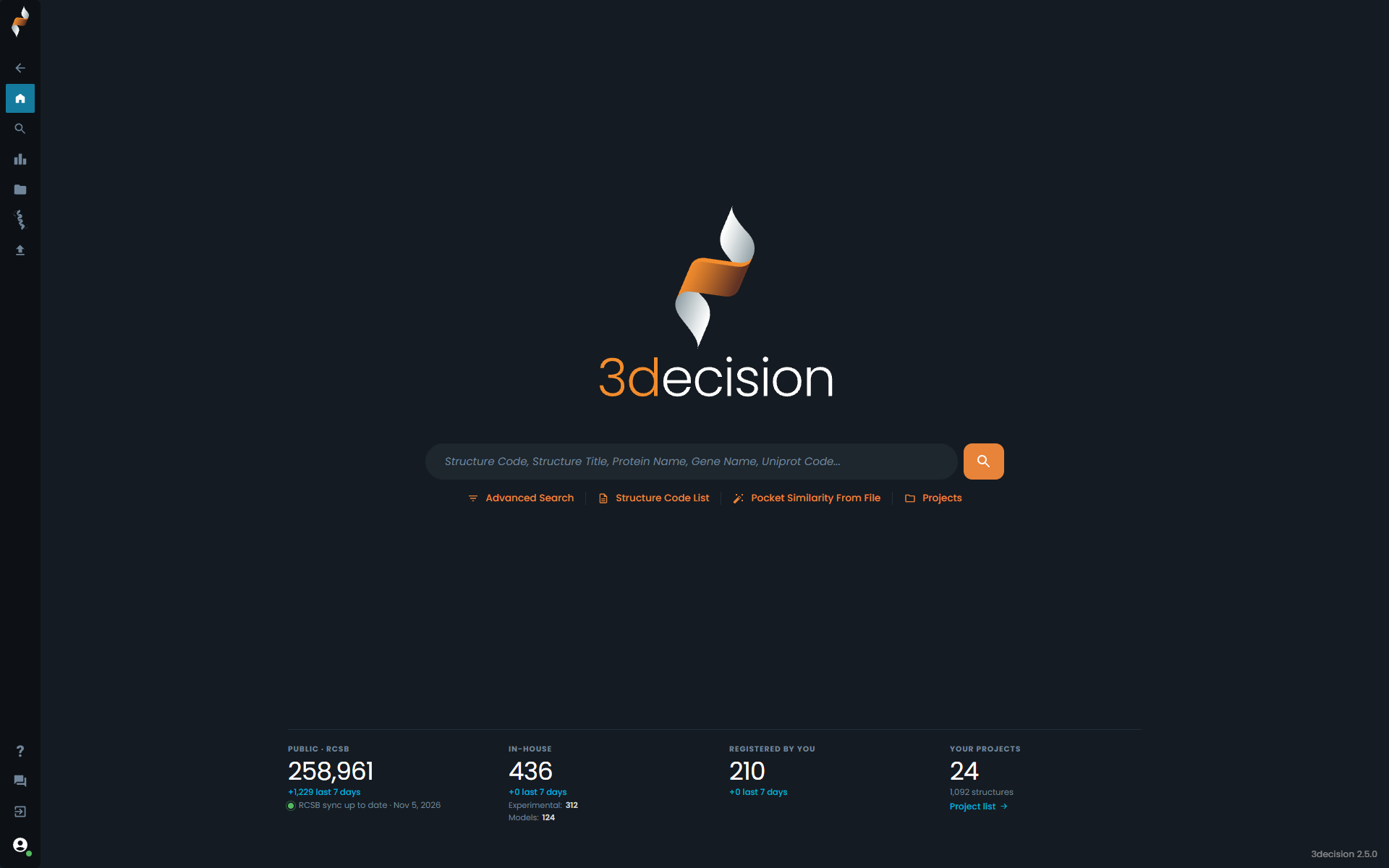
From the homepage, you can:
- type in the search bar to start a basic search;
- use the shortcuts below the search bar:
- Advanced Search: combine several criteria;
- Structure Code List: open a list of structures by code;
- Pocket Similarity From File: find similar pockets for a structure file;
- Projects: open your projects.
At the bottom, statistics show the number of public, in-house and your own structures, and of your projects, with the changes over the last 7 days. Click a "last 7 days" figure to see those structures in the search results, or Project list to open your projects.
¶ Side menu
The side menu on the left gives access to the main pages: Home, Advanced Search, Search Results, Projects, Workspace and Structure Registration. At the bottom are Help (this user guide), Feedback, the switch to the previous user interface and your profile.
¶ Previous user interface
The previous user interface is still available. To switch to it, click Exit Beta & Return to previous UI at the bottom of the side menu. To come back, click the blue icon at the bottom left of the previous interface's homepage. This user guide describes the new interface.
¶ Main pages
| Page | What you can do |
|---|---|
| Advanced Search | Combine text, property and chemistry criteria (exact match, similarity, substructure). |
| Search Results | Browse, filter and download the results of a search. |
| Projects | See the projects you have access to and their structures. |
| Workspace | Show structures in 3D, analyze binding sites, show electron density maps and superpose structures. |
| Structure Registration | Register your own structures or AlphaFold models. |
From the Workspace, you can also open:
- the Information Browser: general information about a structure, such as annotations, projects, experimental parameters and files;
- the Annotation Browser: sequence and structure annotations mapped onto the 3D structure;
- the Pocket Browser: the pockets of a structure and their properties, such as druggability and volume;
- the structural searches: Pocket Similarity Search and Interaction Search.
¶ Access 3decision via the API
You can also use 3decision programmatically through its REST API:
¶ Access 3decision from other tools (plugins)
3decision plugins connect your usual tools to 3decision:
¶ Recommendations and support
Use a Chromium-based browser, such as Google Chrome or Microsoft Edge, to access 3decision.
The 3decision team can help with any question. Contact us by email at 3decision-support@discngine.com or on the Discngine User Group Slack channel.