¶ How to measure a distance
Measure a distance when you want to check a contact, for example between a ligand atom and a residue.
Prerequisites: a structure shown in the 3D viewer.
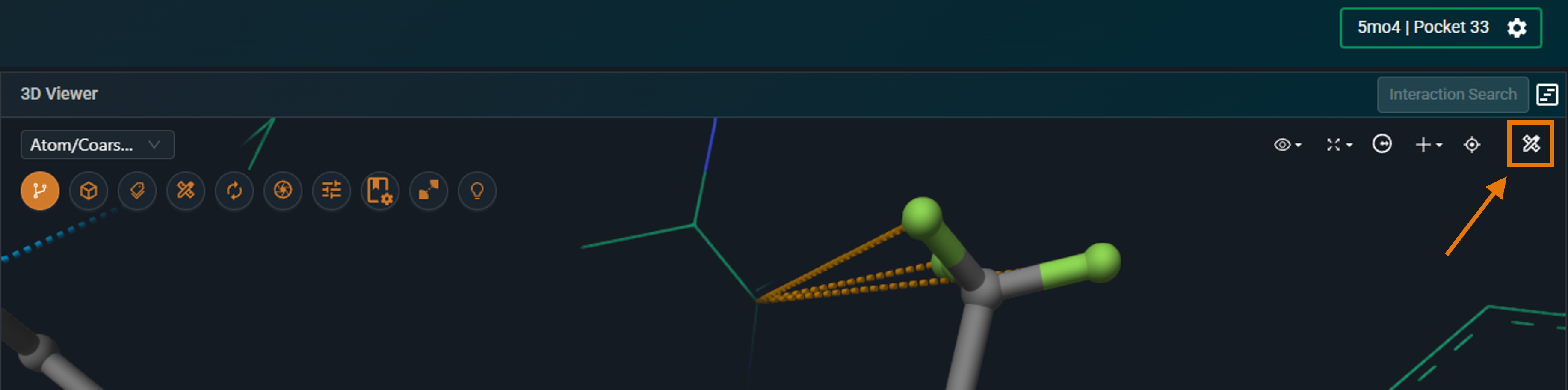
- In the 3D viewer toolbar, click Measurements. The selection level switches to Atom.
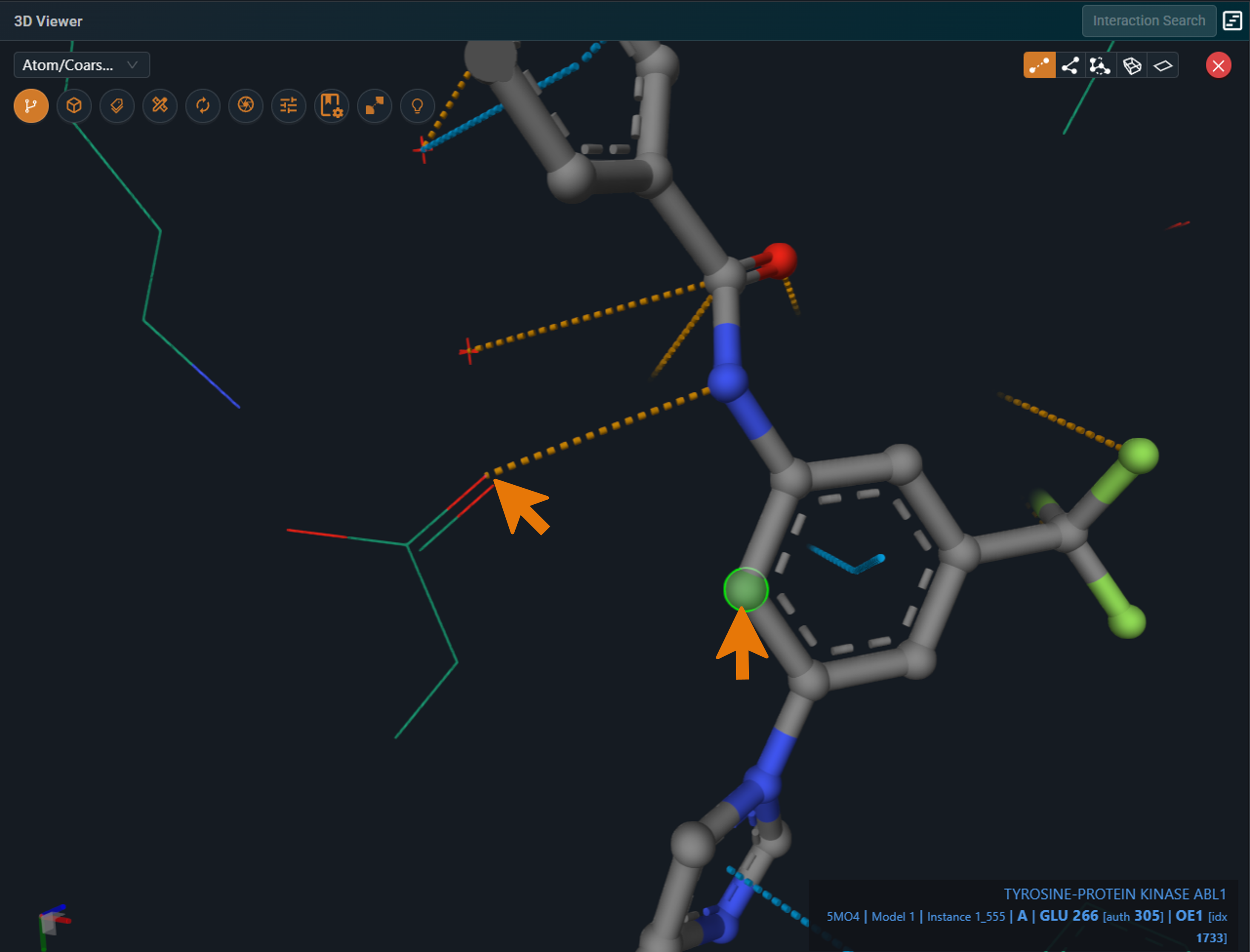
- Make sure Distance is selected.
- Click the first atom, then the second atom.
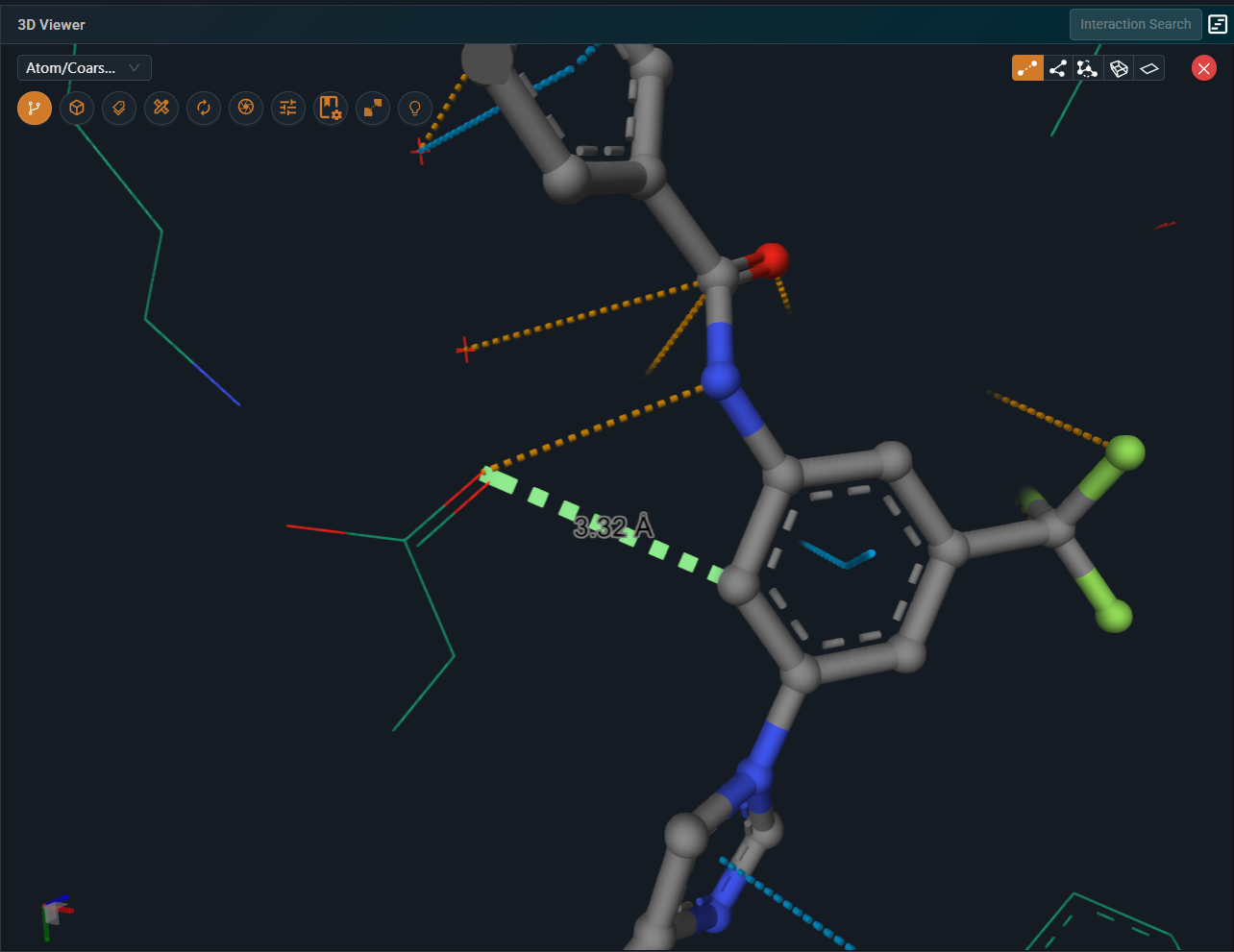
Result: the distance is drawn in the 3D viewer and listed in the Measurements panel.
¶ Variations
- Angle, dihedral angle or plane: choose Angle, Dihedral angle or Plane in step 2 and click the atoms the panel asks for.
- Delete a measurement: delete it from the Measurements panel or from State Tree → Measurements.
¶ Troubleshooting
- Atoms are hard to click: atoms shown as lines are small targets. Change the representation to ball-and-stick first (see How to change the color or representation of a chain or ligand).
¶ Related
- Feature: Measurements