¶ How to change the color or representation of a chain or ligand
Recolor one item when you want it to stand out, for example a ligand or the chain of interest.
Prerequisites: a structure shown in the 3D viewer.
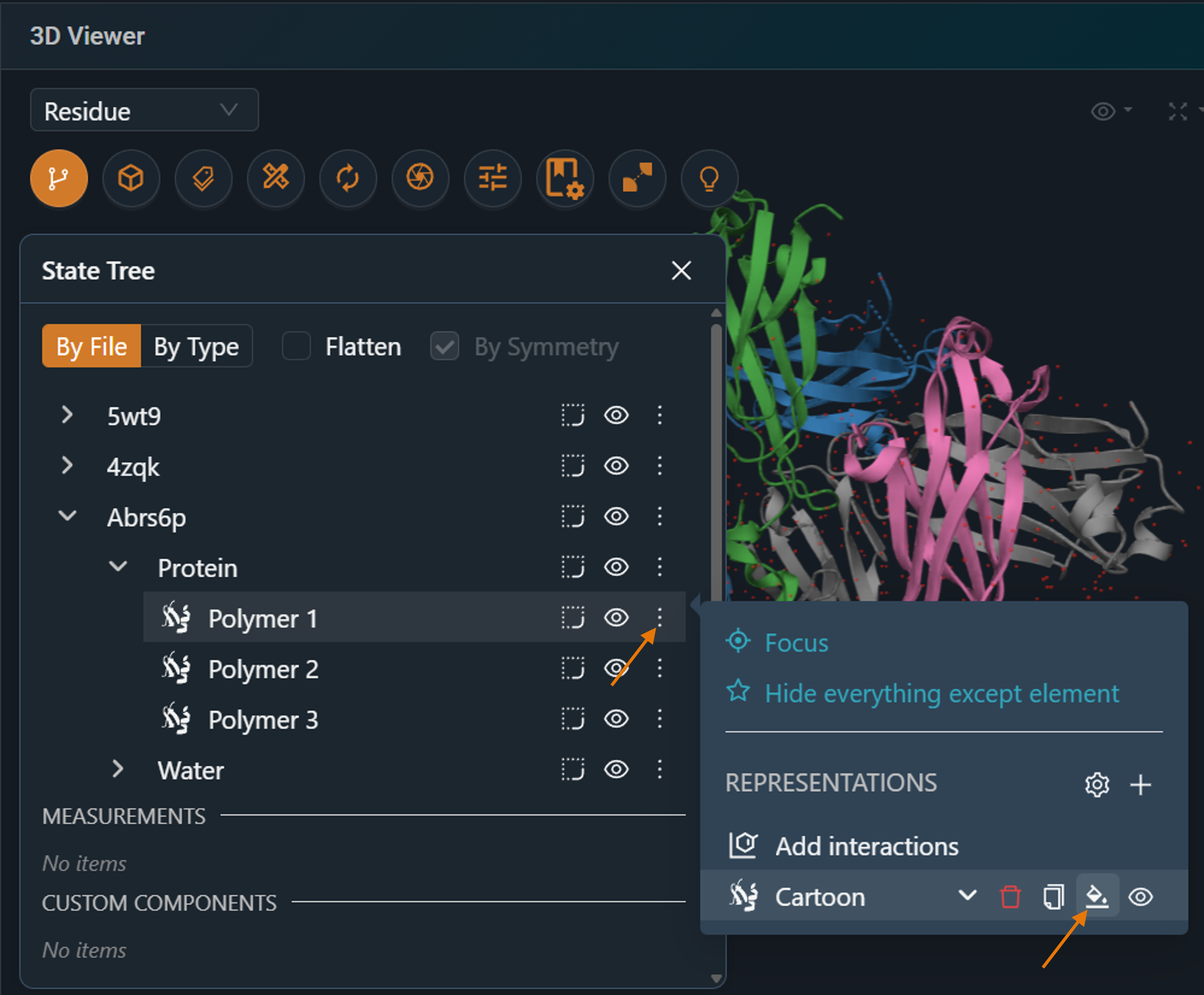
- In the 3D viewer toolbar, click State Tree.
- Expand the structure until you find the chain or ligand. Hover a row to highlight the item in the 3D viewer.
- Open the row's ⋮ menu, then click the color bucket icon of the representation you want to change.
- Choose a single color, or color by a property: Chain ID, Hydrophobicity or pLDDT confidence.
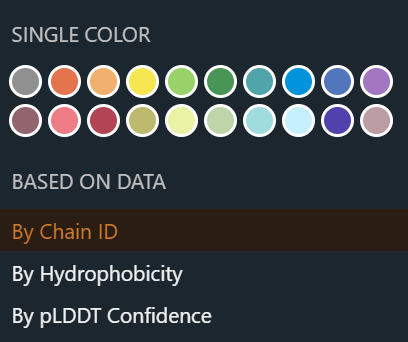
Result: only that item changes color.
¶ Variations
- Ball-and-stick representations: color atoms by element symbol and choose the color of the carbon atoms.
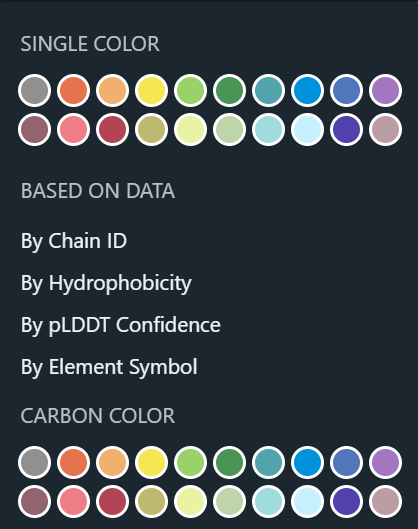
- Color all structures at once: use Color by… in the 3D viewer toolbar (protein family, structure, chain ID, hydrophobicity, pLDDT confidence or B-factor).
¶ Related
- Feature: State Tree