¶ How to hide a chain or all waters
Hide parts of a structure when they get in the way, for example a symmetry copy or the waters.
Prerequisites: a structure shown in the 3D viewer.
¶ Hide one chain
- In the 3D viewer toolbar, click State Tree.
- Expand the structure and Protein until you find the chain. Hover a row to highlight the chain in the 3D viewer.
- Click the eye icon of the chain.
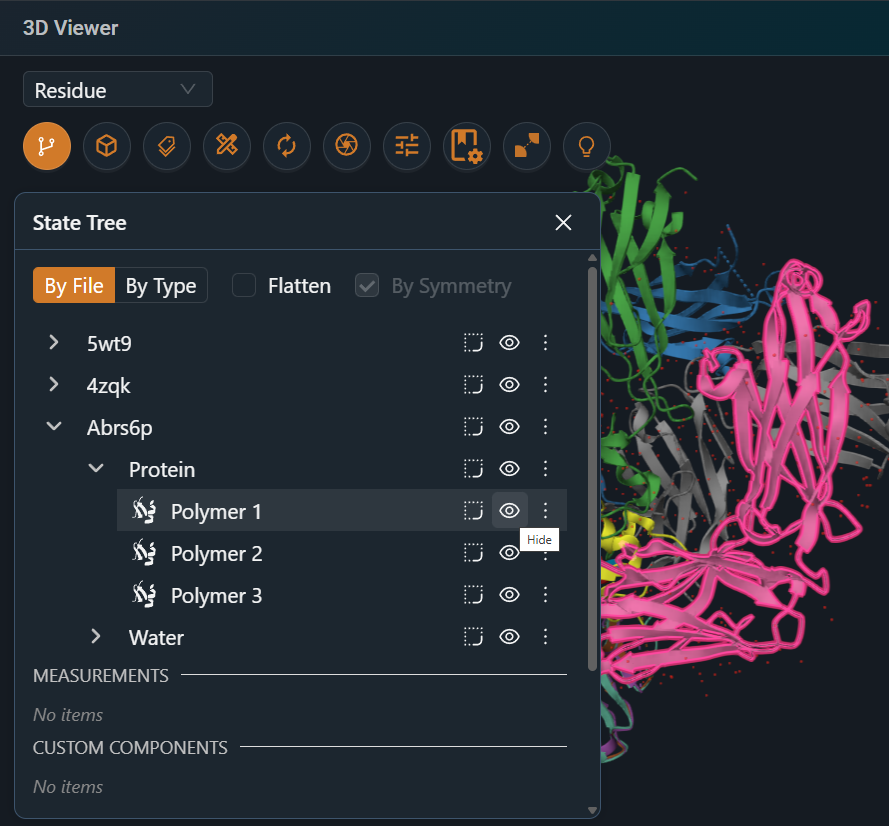
Result: the chain is hidden. Click the eye icon again to show it.
¶ Hide or show all waters
- In the 3D viewer toolbar, click Components.
- Turn Water off or on.
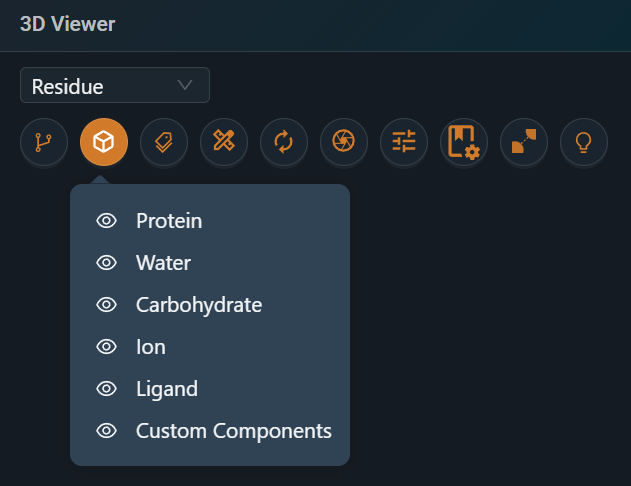
Result: waters are hidden or shown in all structures. Waters are hidden by default.
¶ Variations
- Show only one item: in the State Tree, open the item's ⋮ menu and select Hide everything except element.
- Hide a selection: select the residues, then click Show / Hide elements in the selection toolbar.
¶ Related
- Feature: State Tree