¶ How to add a label
Add a label when you want to name a residue or chain in the 3D viewer, for example before taking a screenshot.
Prerequisites: a structure shown in the 3D viewer.
- Click the residue you want to label. To label an atom or a chain, change the selection level from Residue to Atom or Chain first.
- In the 3D viewer toolbar, click Labels, then click +.
- Select a predefined label, for example "Residue (name + number)", or create a custom label.
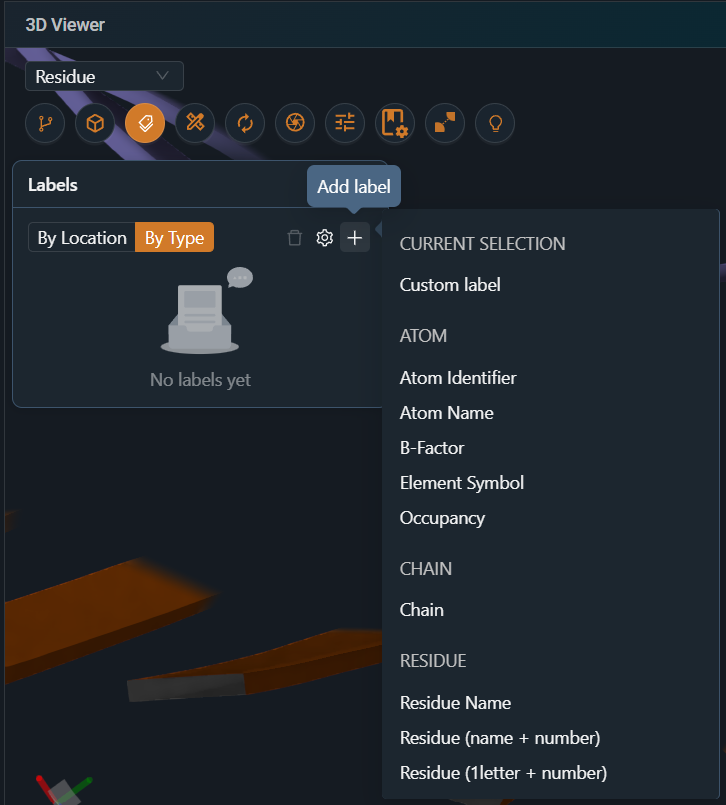
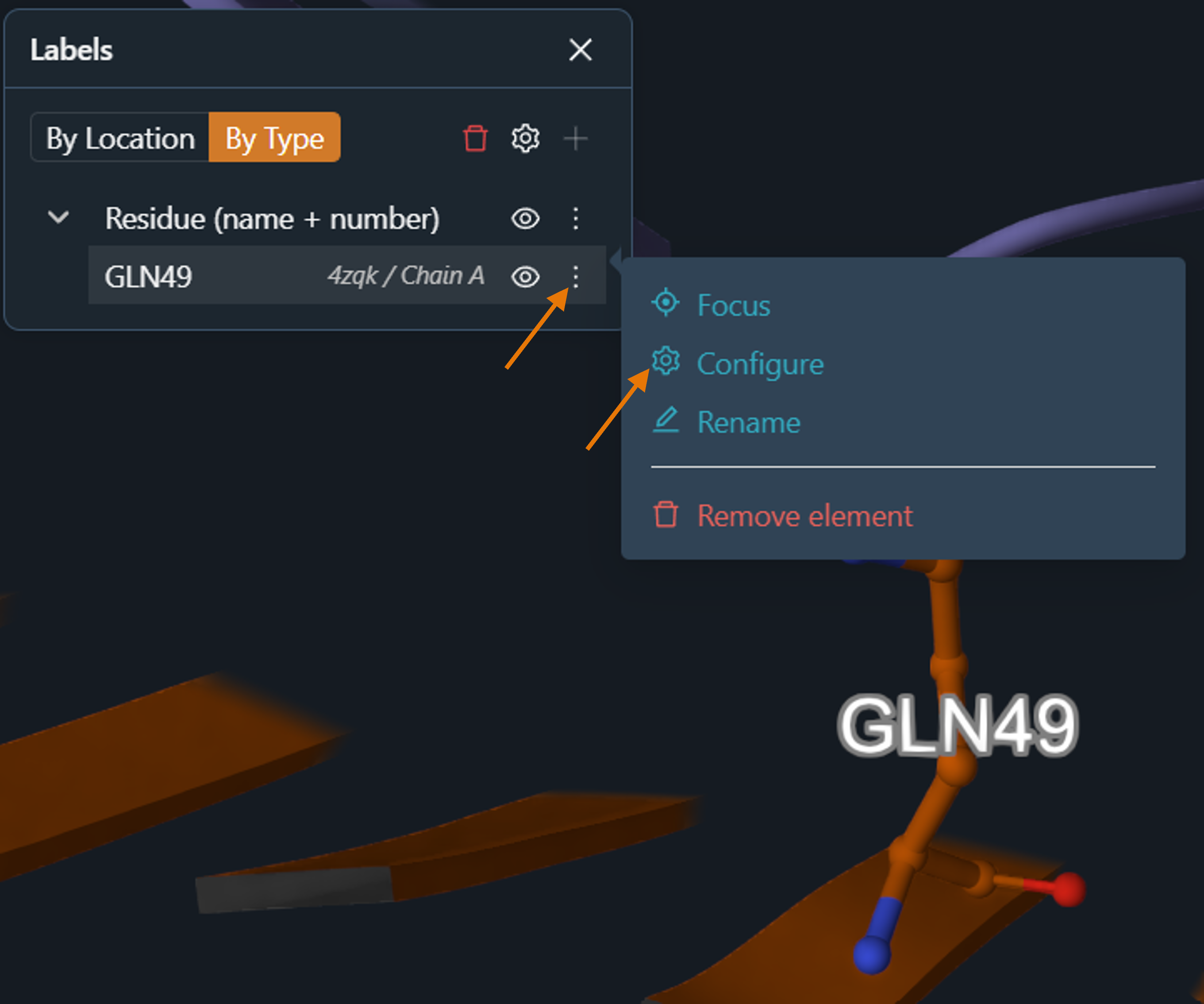
Result: the label appears in the 3D viewer and in the Labels panel.
¶ Variations
- Change size, color or position: in the Labels panel, open the label's menu and select Configure.
¶ Related
- Feature: Workspace and 3D Viewer